
If you’ve ever taken a photo and thought, “This looks good, but it could look better,” you’re not alone. From social media posts to business promotions, photo editing has become an essential skill. The good news? You don’t need expensive equipment or years of experience—just the right app.
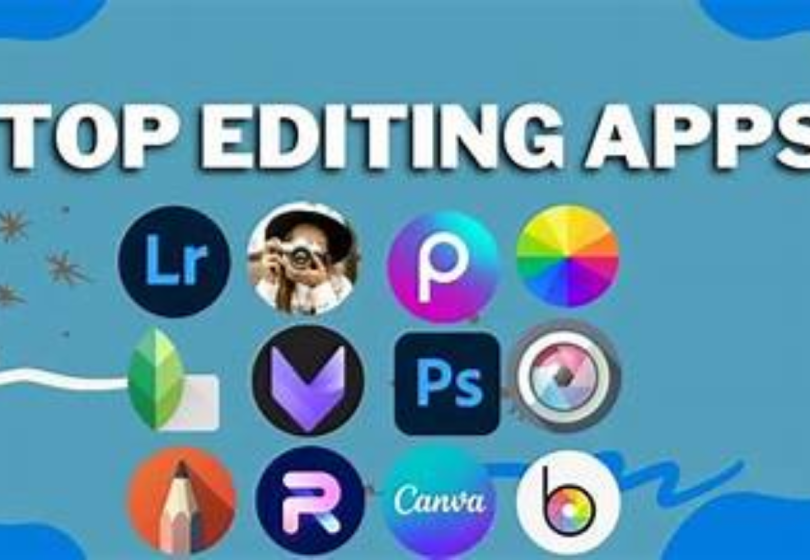
This top photo editing apps guide is designed to help you understand which apps are worth your time, what they do best, and where they may fall short. Think of it as a friendly conversation that helps you make a smart choice without getting overwhelmed.
Why Photo Editing Apps Are So Important Today
In today’s digital world, visuals speak louder than words. A well-edited photo can:
- Grab attention instantly
- Increase engagement on social media
- Make brands look professional
- Improve storytelling through visuals
That’s why choosing the right app matters, and this top photo editing apps guide focuses on apps that are easy to use yet powerful enough to deliver impressive results.
Top Photo Editing Apps Guide: In-Depth App Reviews
Let’s explore the most popular photo editing apps in detail, along with their benefits and drawbacks.
1. Adobe Lightroom
Best for: Professional-level photo editing and color correction
Adobe Lightroom is often the first choice for photographers who want complete control over their images. It offers advanced tools while still being accessible to beginners.
Benefits:
- Excellent color grading and lighting control
- Supports RAW image editing
- Professional presets save time
- Works across mobile and desktop
Drawbacks:
- Many features require a paid subscription
- May feel complex for casual users
Verdict: Ideal for users who want professional-quality results and don’t mind learning advanced tools.
2. Snapseed
Best for: Free and powerful editing
Snapseed proves that you don’t need to spend money to edit photos like a pro. It’s simple, clean, and packed with useful tools.
Benefits:
- Completely free with no ads
- Advanced tools like selective edits and healing
- Easy-to-use interface
- High-quality output
Drawbacks:
- Limited filters compared to creative apps
- No built-in templates or social designs
Verdict: A strong option in this top photo editing apps guide for users who want quality editing without spending money.
3. PicsArt
Best for: Creative designs and social media content
PicsArt is all about fun and creativity. It’s especially popular among content creators and influencers.
Benefits:
- Huge library of stickers and effects
- AI background removal
- Easy collage creation
- Great for social media trends
Drawbacks:
- Free version includes ads
- Some features are locked behind a subscription
Verdict: Perfect if your goal is creative, eye-catching content rather than natural photo edits.
4. VSCO
Best for: Aesthetic and minimal photo edits
VSCO is known for its clean look and artistic filters. If you prefer subtle edits, this app will feel just right.
Benefits:
- High-quality, film-style presets
- Simple and distraction-free interface
- Manual editing tools available
- Consistent aesthetic results
Drawbacks:
- Limited free presets
- Not suitable for heavy photo manipulation
Verdict: A great choice in this top photo editing apps guide for users who love clean and stylish visuals.
5. Canva
Best for: Photo editing plus graphic design
Canva goes beyond basic photo editing by combining design and visuals in one place. It’s widely used by marketers and small businesses.
Benefits:
- Thousands of ready-made templates
- Beginner-friendly drag-and-drop tools
- Perfect for social media posts and banners
- Works on mobile and desktop
Drawbacks:
- Limited advanced photo editing tools
- Some premium designs require payment
Verdict: Ideal for users who want quick designs and simple edits in one platform.
6. Adobe Photoshop Express
Best for: Quick professional edits
Photoshop Express offers powerful tools in a simplified format, making it easier than traditional Photoshop.
Benefits:
- Fast one-tap enhancements
- Spot healing and noise reduction
- Professional-quality filters
- Trusted Adobe performance
Drawbacks:
- Limited compared to full Photoshop
- Some features are paid
Verdict: Best for quick edits when you want professional results without complex steps.
Benefits of Using Photo Editing Apps
Using apps mentioned in this top photo editing apps guide comes with many advantages:
- Easy access to professional tools
- Saves time compared to desktop software
- Improves photo quality instantly
- Helps build a strong online presence
- Suitable for beginners and experts alike
You may also like to read these posts:
Top Tech Gadgets Reviewed: The Ultimate Guide to What’s Truly Worth Buying
Latest Tech Innovation Trends: A Detailed Look at What’s Changing Our World
Emerging Technology Breakthroughs Transforming the Modern World
New Technology Ideas 2026: A Detailed Look at the Future Ahead
Drawbacks of Photo Editing Apps
While these apps are powerful, there are a few limitations to keep in mind:
- Advanced features often require subscriptions
- Over-editing can reduce photo quality
- Some apps include ads in free versions
- Mobile editing may feel limited for professionals
Understanding these drawbacks helps you choose the app that best matches your needs.
Final Thoughts
Photo editing doesn’t have to be complicated or expensive. With the right app, anyone can create stunning visuals from their phone or computer.
This top photo editing apps guide gives you a clear, honest look at the best options available—along with their strengths and weaknesses—so you can make a confident choice. Whether you’re editing photos for fun, business, or social media, there’s an app here for you.
FAQs
1. What is the best free photo editing app?
If you’re looking for a free option, Snapseed is the best choice. It offers advanced editing tools like selective adjustments, healing, and filters without any cost or ads.
2. Which photo editing app is best for beginners?
Canva and VSCO are beginner-friendly. Canva makes designing social media posts easy with templates, while VSCO provides simple, intuitive editing for aesthetic photos.
3. Do I need a professional app like Adobe Lightroom?
Not necessarily. Lightroom is great for professional-level editing, especially for RAW images, but apps like Snapseed, VSCO, or PicsArt can handle most everyday editing needs.
4. Can I edit photos for social media using these apps?
Absolutely! Apps like PicsArt, Canva, and VSCO are perfect for creating eye-catching social media content. They include filters, effects, templates, and collage tools specifically designed for platforms like Instagram, Facebook, or TikTok.
5. Are these apps available on both iOS and Android?
Yes! Most top photo editing apps, including Lightroom, Snapseed, VSCO, PicsArt, Canva, and Photoshop Express, are available on both iOS and Android. Some also have desktop or web versions for more flexibility.